Most ISPs are sitting on a goldmine — and they don't even know it.
Every day, your network generates thousands of log entries. Login times, session durations, bandwidth usage, disconnection events, authentication failures — all of it quietly recorded, mostly ignored. But hidden inside those logs is something far more valuable than troubleshooting data. It's a map of your customers' behavior. And if you know how to read it, it tells you exactly who is ready to upgrade, who is about to leave, and who needs a better plan.
This is how smart ISPs use data logs to grow revenue without spending a single taka on advertising.
Why Most ISPs Ignore Their Own Data
Running an ISP in Bangladesh means dealing with constant pressure — network issues, customer complaints, billing disputes, and the daily grind of keeping connections alive. Log files feel like a technical thing, something the NOC team looks at when something breaks.
But that mindset costs money.
Your logs aren't just for debugging. They're behavioral data. And behavioral data drives sales.
What Your Logs Are Actually Telling You
Here's what different log types reveal about your customers:
RADIUS Authentication Logs Every time a customer connects, disconnects, or fails to authenticate, it's logged. Frequent disconnections on a specific account could mean poor signal — or it could mean the customer is switching between your connection and a competitor's. Either way, it's a flag worth acting on.
Bandwidth and Session Logs A customer on a 5 Mbps plan who consistently maxes out their connection during evening hours isn't complaining — yet. But they will. Or worse, they'll quietly switch to a competitor who offers more. Bandwidth saturation data is one of the clearest upsell signals available.
Accounting Logs (Interim Updates) If your MikroTik is configured to send interim accounting updates every few minutes, you can see real-time session data — how long customers stay connected, how much data they use per session, and when they're most active. This is marketing data disguised as network data.
Disconnection and Expiry Logs Customers whose accounts expire and aren't renewed within 24–48 hours are churn risks. Catch this pattern early and you can reach out before they cancel — not after.
Real Upsell Scenarios Based on Log Data
Scenario 1 — The Bandwidth Hog on a Low Plan
Your log shows a customer on a 10 Mbps package consistently pulling 9.8–10 Mbps for 4–6 hours every evening. Their plan is capped and they're hitting the ceiling daily.
Action: Contact them proactively. Offer a 20 Mbps or unlimited plan. You're not selling — you're solving a problem they already have. Conversion rate on this type of outreach is significantly higher than cold calls.
Scenario 2 — The Reconnector
RADIUS logs show a user disconnecting and reconnecting 15–20 times a day. This is a signal of either a weak connection or a shared connection being managed manually — common in small offices or multi-device households.
Action: Offer a dedicated business line or a higher-tier plan with better stability guarantees. These customers are often willing to pay more for reliability.
Scenario 3 — The Late-Night Heavy User
Session logs show a customer who barely uses the internet during the day but transfers 20–30 GB between midnight and 6 AM. This person knows about peak hours and deliberately schedules their downloads.
Action: Offer an off-peak unlimited bundle. They'll love it, and you'll lock in a longer subscription.
Scenario 4 — The Almost-Churned Customer
Accounting logs show a customer whose last session ended 5 days ago and hasn't reconnected. No expiry yet, but no activity either.
Action: A simple WhatsApp message or SMS asking if they're facing any issues goes a long way. Reach out before the expiry, not after.
How to Set This Up Without a Big Team
You don't need a data science department to do this. You need two things:
1. A centralized syslog server
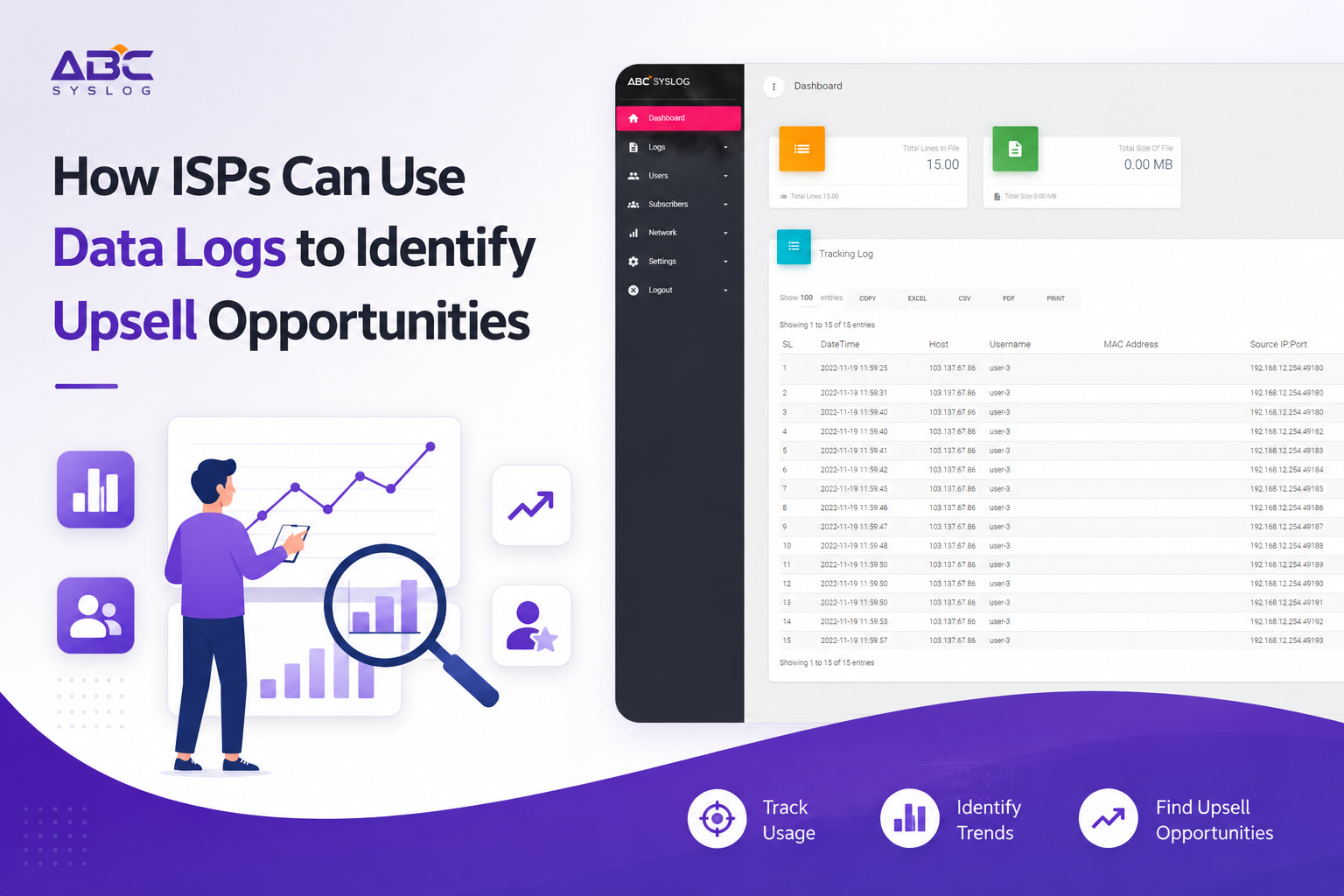
Tools like ABC Syslog Server collect and organize logs from all your MikroTik routers in one place. Instead of logging into 10 different routers to pull data, everything comes to you. You can search, filter, and export log data in minutes.
2. A CRM that connects to your RADIUS data
A proper ISP CRM like Zal Ultra gives you subscriber-level visibility. When you combine CRM data — package, billing status, contact info — with syslog data — session activity, bandwidth usage — you get a complete picture of each customer, not just a network entry.
Together, these two tools let even a small ISP team spot upsell opportunities systematically, not by luck.
Building a Simple Upsell Workflow
Here's a practical workflow any ISP team can run starting this week:
Step 1 — Define your trigger conditions Examples:
- Bandwidth usage above 85% of plan limit for 7 consecutive days → upgrade candidate
- No session in 3 days before expiry → churn risk
- 10 or more reconnections per day over one week → stability issue candidate
Step 2 — Pull the data weekly Use your syslog server to export session and accounting logs. Filter by the trigger conditions you defined. This takes 15–20 minutes once you have the habit.
Step 3 — Hand off to your sales or support team Give them a short list with customer name, contact number, and the specific issue. One targeted call or message per customer.
Step 4 — Track outcomes Log which customers were contacted, what was offered, and what happened. Over time, you'll know which signals convert best and which can be automated.
This doesn't need to be automated on day one. A manual process done consistently every week will produce real results.
The Bigger Picture
ISPs that grow aren't always the ones with the cheapest plans or the fastest speeds. They're the ones that understand their customers better than the competition does.
Your data logs are a direct window into how your customers live on your network — what they need, when they need it, and how much they're willing to pay for a better experience. Most of your competitors are ignoring this data completely.
That gap is your opportunity.
Start with one signal. Bandwidth saturation is the easiest to act on. Run it for 30 days. Once you see the first few upgrades come from proactive outreach based on log data, the rest of the process builds itself.
Final Thoughts
Upselling doesn't have to feel like selling. When you reach out to a customer and say "we noticed your connection is maxing out every evening — we have a plan that would fix that," you're not pushing a product. You're solving a problem they already have. That's a completely different conversation.
Your logs make that conversation possible. All you have to do is read them.
Want to see how ABC Syslog Server helps ISPs centralize and analyze network logs in real time? Contact us on WhatsApp: +880 1836 216648 or reach us on Skype at onezeroart.