ABC Universal Log Server — Manage All Logs In One Place
A high-performance syslog and tracking log server with superfast filtering, data compression, and multi-device support for ISPs and businesses.
On-Premise Installation • Unlimited Users • Unmetered Data
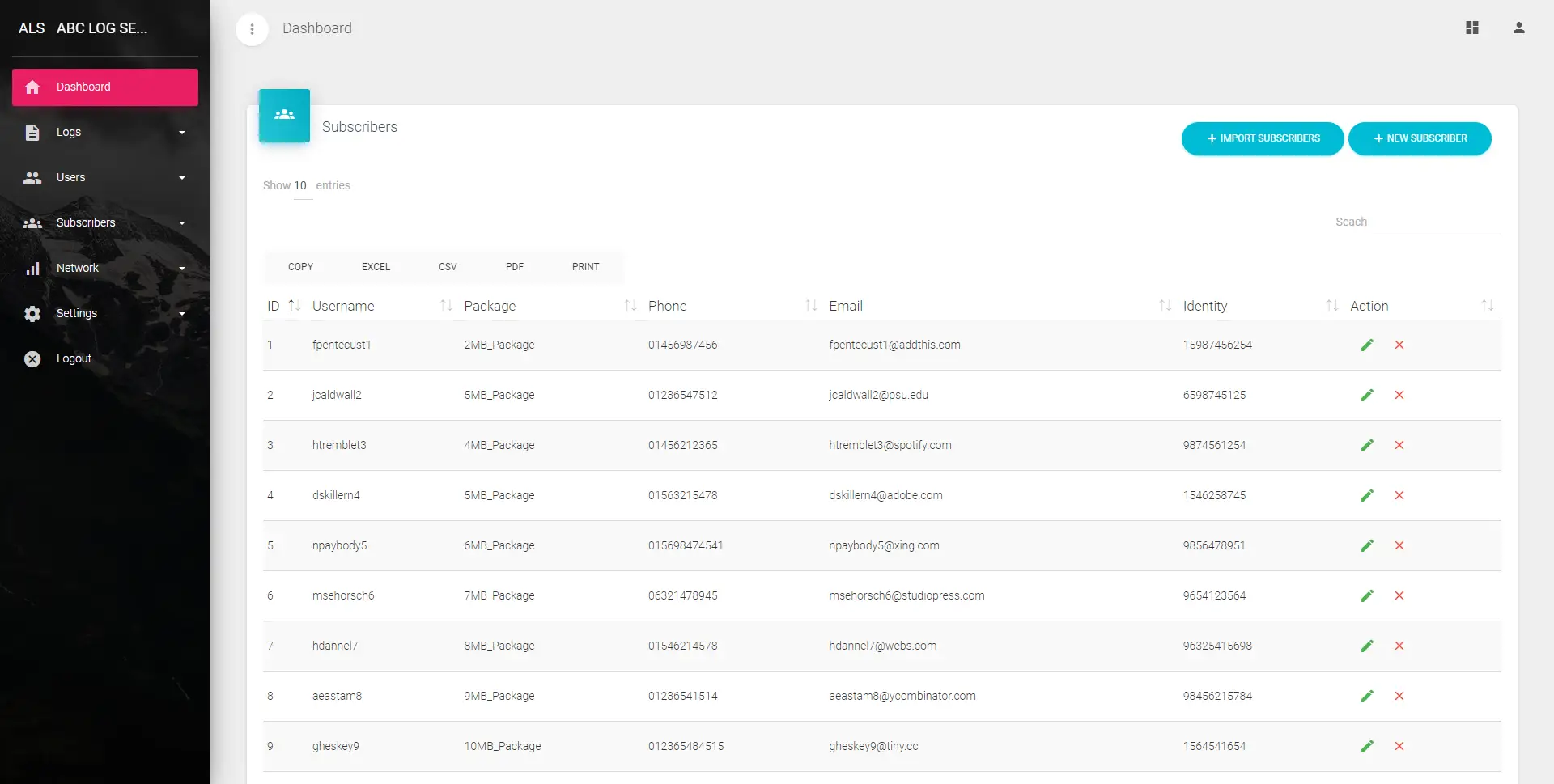
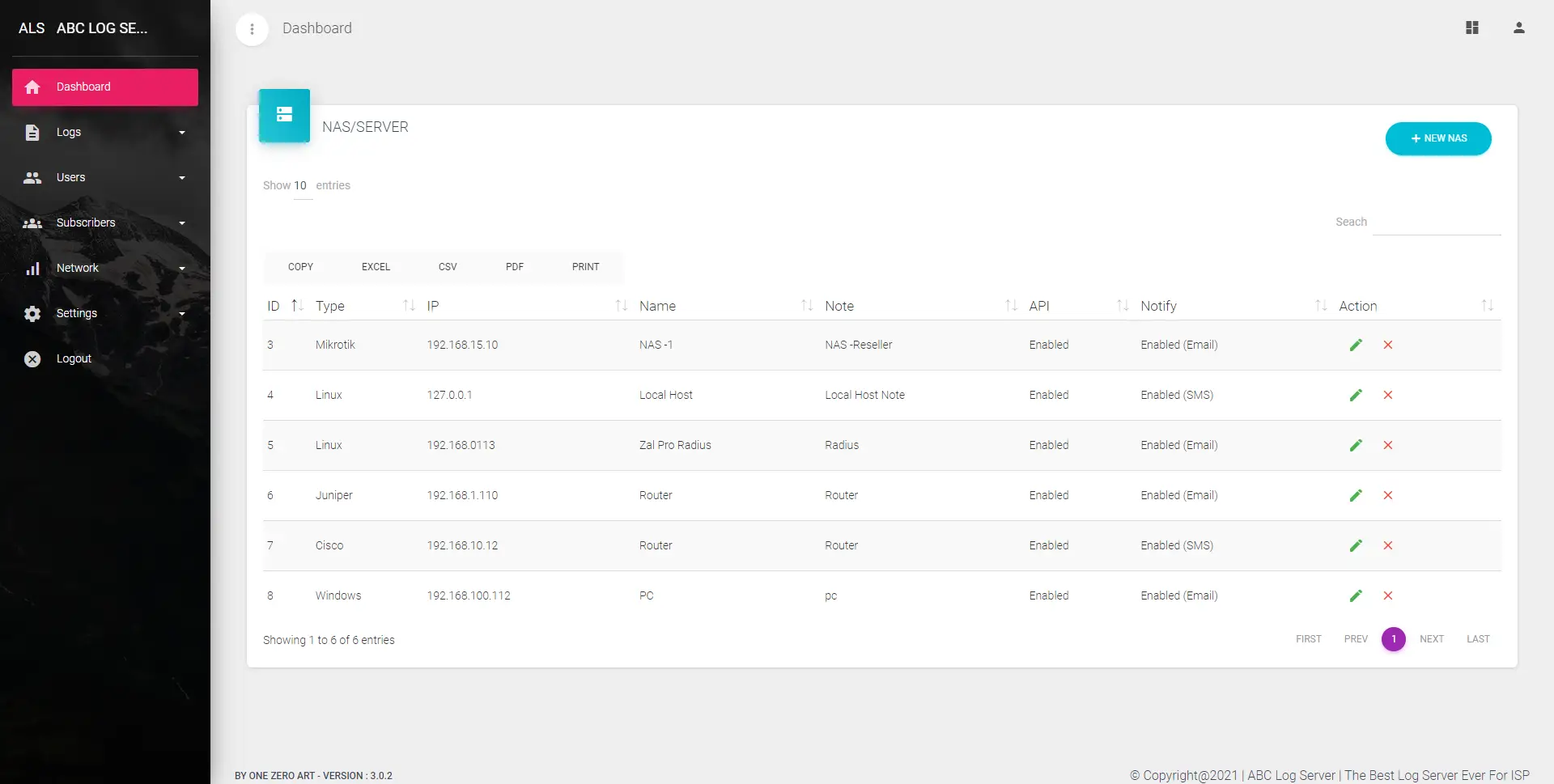
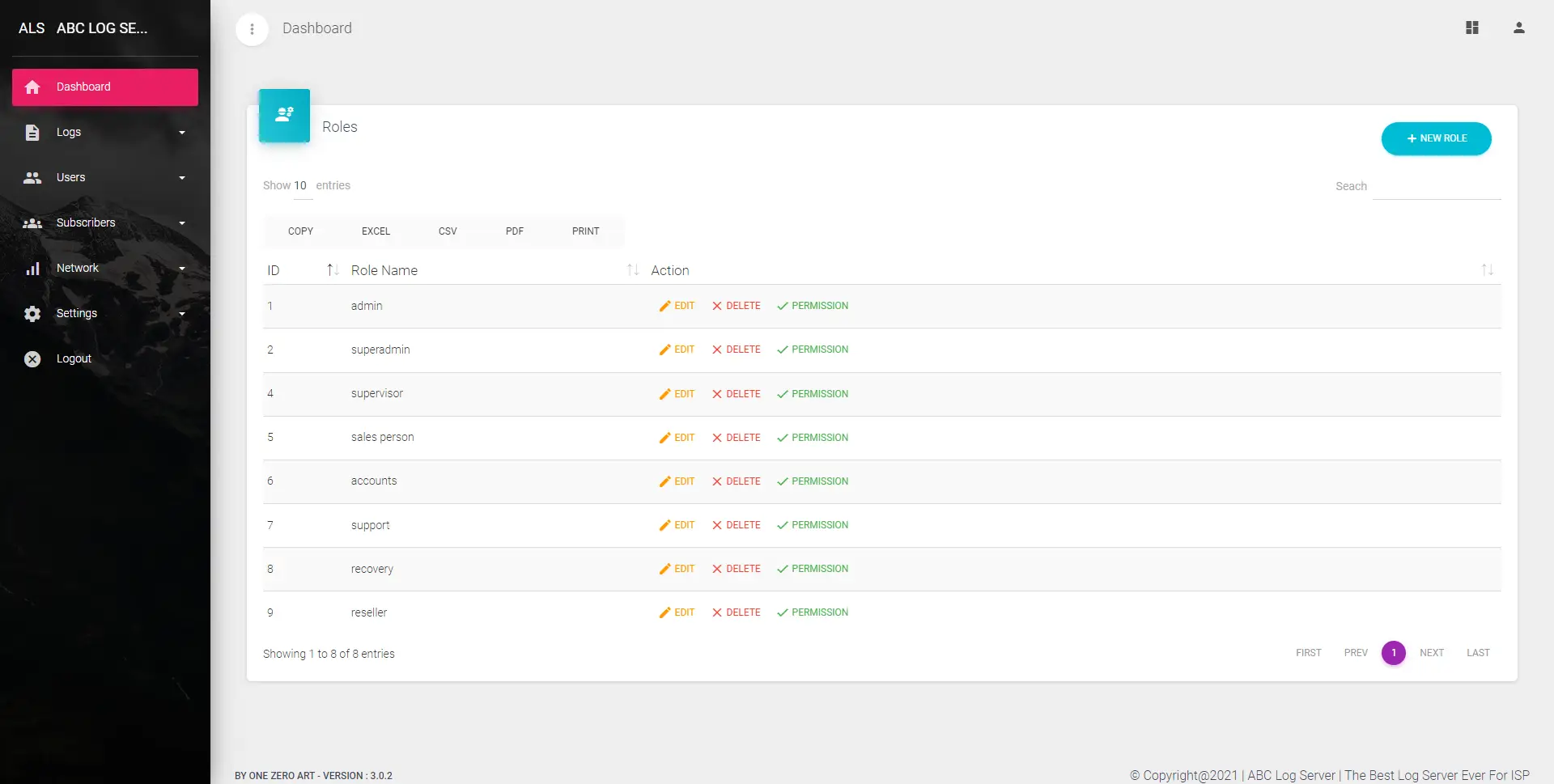
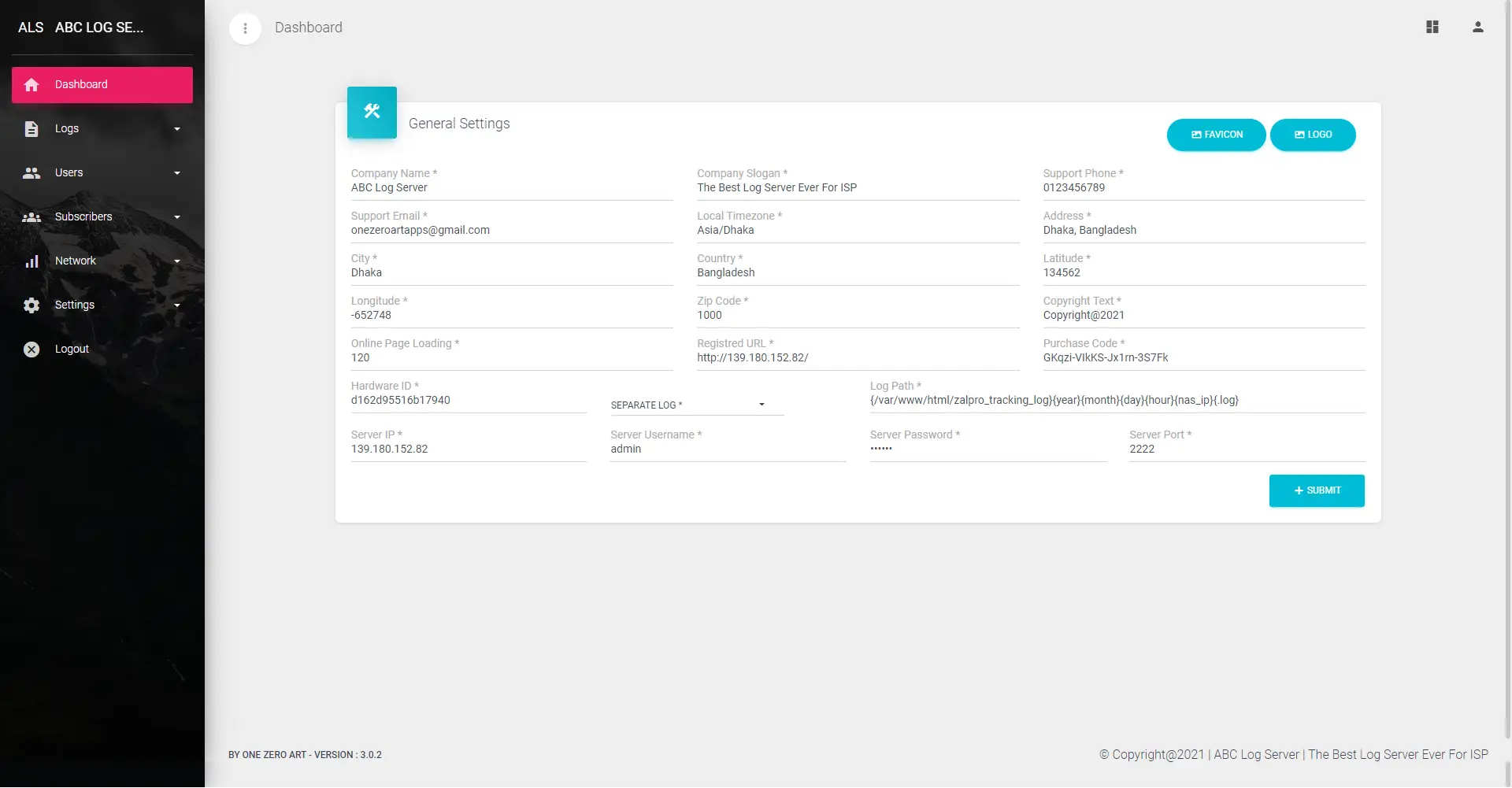
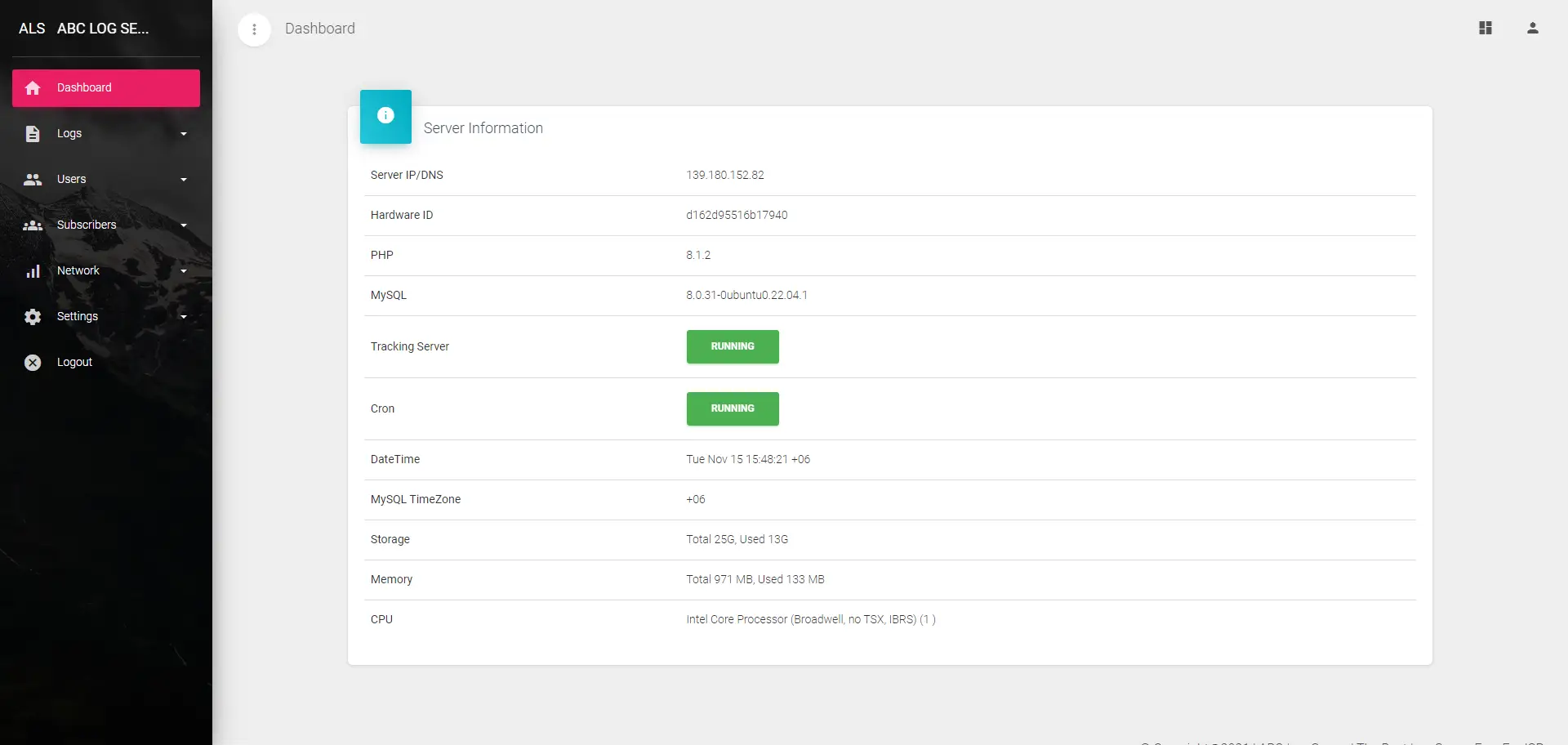
Software Screenshots
Explore the powerful and intuitive interface built for centralized log management
Complete Feature Set
Everything you need to centralize, monitor, and manage logs — 10 powerful modules with 40+ features
Centralized Log Collection
Multi-Device Log Ingestion
Collect logs from routers, switches, firewalls, NAS devices, Linux/Windows servers, and applications — all in a single unified platform. One place for all your network logs.
TCP & UDP Protocol Support
Accept any type of log data over both TCP and UDP protocols. Full flexibility for syslog, tracking logs, and custom log formats from any source on your network.
Host IP & Date-Wise Storage
Logs are automatically organized by host IP address and date/time. Find any log entry quickly with a structured, time-sorted storage format tailored to your needs.
Custom Incoming Port
Configure custom incoming ports for log reception. Flexible port settings let you adapt the server to your existing network architecture without conflicts.
Allow/Disallow Log Sources
Control which devices can send logs to your server. Whitelist or blacklist source IPs to ensure only authorized devices contribute log data for tighter security.
Real-Time Monitoring & Dashboard
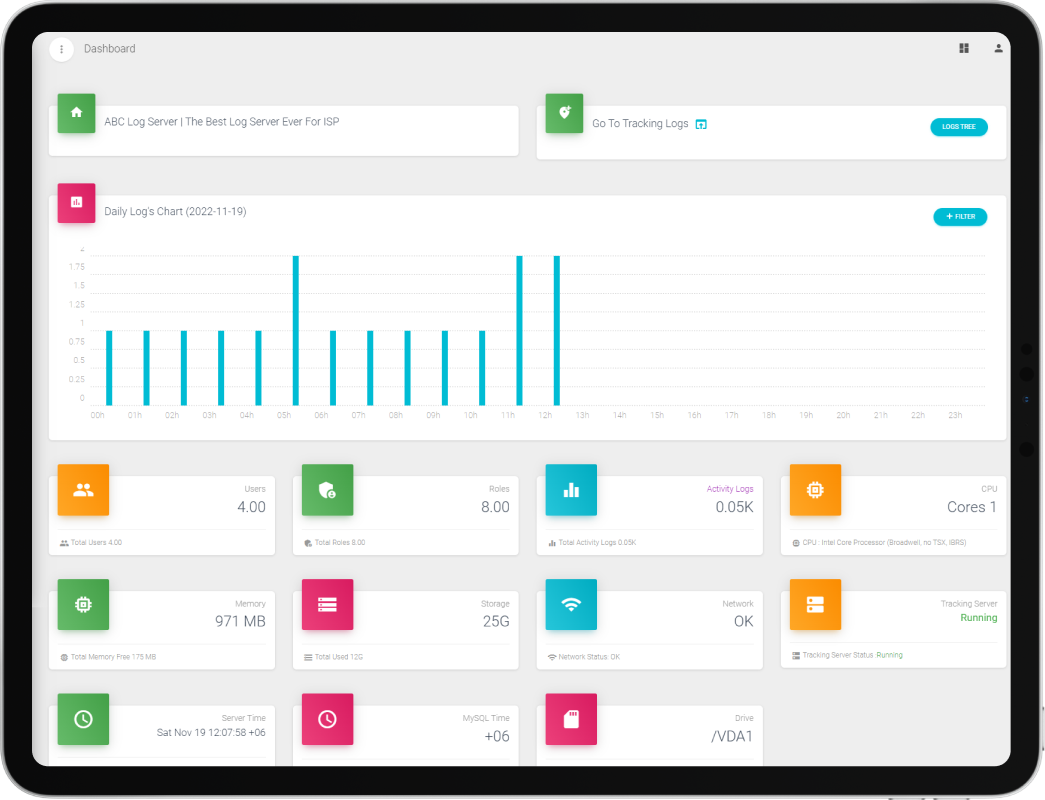
Visual Dashboard
Modern web-based dashboard with visual metrics, activity trends, and system health indicators. Monitor your entire log infrastructure at a glance with real-time widgets.
Real-Time Log Tracking
Track network activity and system events in real time for faster incident response. Live log feed with instant updates as events occur across your infrastructure.
SSD/HDD Space Monitoring
Keep an eye on your storage capacity with beautiful dashboard widgets. Monitor SSD and HDD usage, available space, and disk health to prevent storage issues before they happen.
Server Status Overview
View server information, system health, and resource usage. Check CPU, RAM, network status, and service uptime from a single monitoring page.
Advanced Filtering & Search
Superfast Log Filtering
Filter through massive datasets in seconds — handle up to 10GB of data in just 3 seconds on minimal hardware. Optimized algorithms for lightning-fast log retrieval.
Multi-Criteria Search
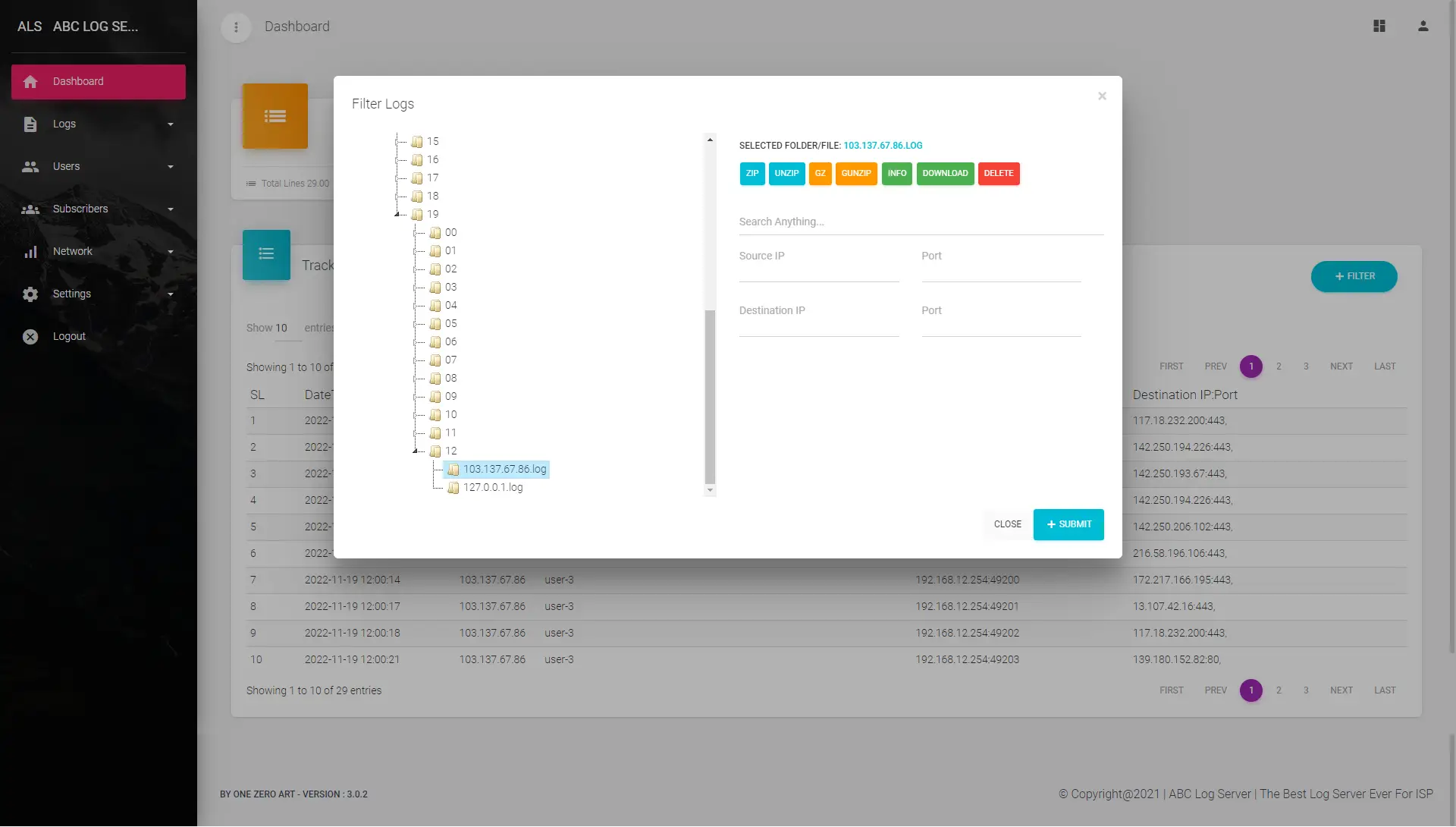
Search logs by IP address, MAC address, port, device, message content, date range, and more. Combine multiple filters for precise, targeted log discovery.
Multiple Log Viewing Styles
View logs in raw, optimized, or customized formats. Switch between viewing modes from settings to match your preferred workflow and analysis style.
Folder & File Browser
Browse log folders and files visually before searching. Navigate through organized directories to locate specific log collections by date, host, or category.
Data Storage & Compression
File System Storage
Logs stored directly in the file system — no database bottlenecks. Handle terabytes of data without worrying about database crashes or performance degradation.
Multiple Drive Support
Attach multiple HDDs for log storage and backup. Easily transfer data between drives and expand your storage capacity as your log volume grows.
Data Compression
Compress and archive large data chunks efficiently to save disk space and bandwidth. Chunk-based compression for optimal storage utilization without losing data integrity.
Configurable Data Retention
Set retention policies to automatically manage log lifecycle. Configure how long logs are kept to meet compliance requirements and optimize storage usage.
Zero Data Loss
No risk of data loss with automated daily backups to local disk or cloud storage. Redundant storage ensures your critical log data is always safe and recoverable.
Backup & Cloud Integration
Easy Backup System
Backup whenever you want, wherever you want. One-click backup with support for local PC, secondary HDD, and cloud server destinations for complete data protection.
Cloud Storage Support
Store log backups on cloud platforms for off-site redundancy. Automatic cloud backup scheduling ensures your data survives even hardware failures.
HDD or Cloud Flexibility
Choose between secondary HDD storage or cloud platforms based on your needs. Mix and match storage solutions for the perfect balance of speed, cost, and reliability.
Database Backup
Download complete database backups from the admin panel. Scheduled backup support with easy restore procedures for system configuration and subscriber data.
Network & NAS Management
NAS/Router Management
Add and manage your NAS devices and routers directly from the panel. Configure API connections, monitor device status, and manage log sources in one centralized view.
MikroTik Log Integration
Enable syslog forwarding from MikroTik routers with easy setup. Step-by-step configuration to start collecting router logs, firewall events, and connection data instantly.
Plug & Play Setup
No complex configuration required. Simply add your router to the server and start collecting logs immediately. Zero hassle deployment for quick time-to-value.
Server-Side Datatables
Powerful server-side datatables for handling millions of log entries. Fast pagination, sorting, and searching without browser performance issues even with massive datasets.
Subscriber & User Management
Subscriber Management
Add subscriber/customer data to identify logs by customer. Link log entries to specific subscribers for easy troubleshooting and customer-specific log queries.
User & Role Management
Create unlimited users and roles for the admin panel. Assign granular permissions to control who can view, search, export, or manage logs and system settings.
Role-Based Permissions
Fine-grained permission control for every module and action. Create custom roles with specific access levels to ensure staff only see what they need.
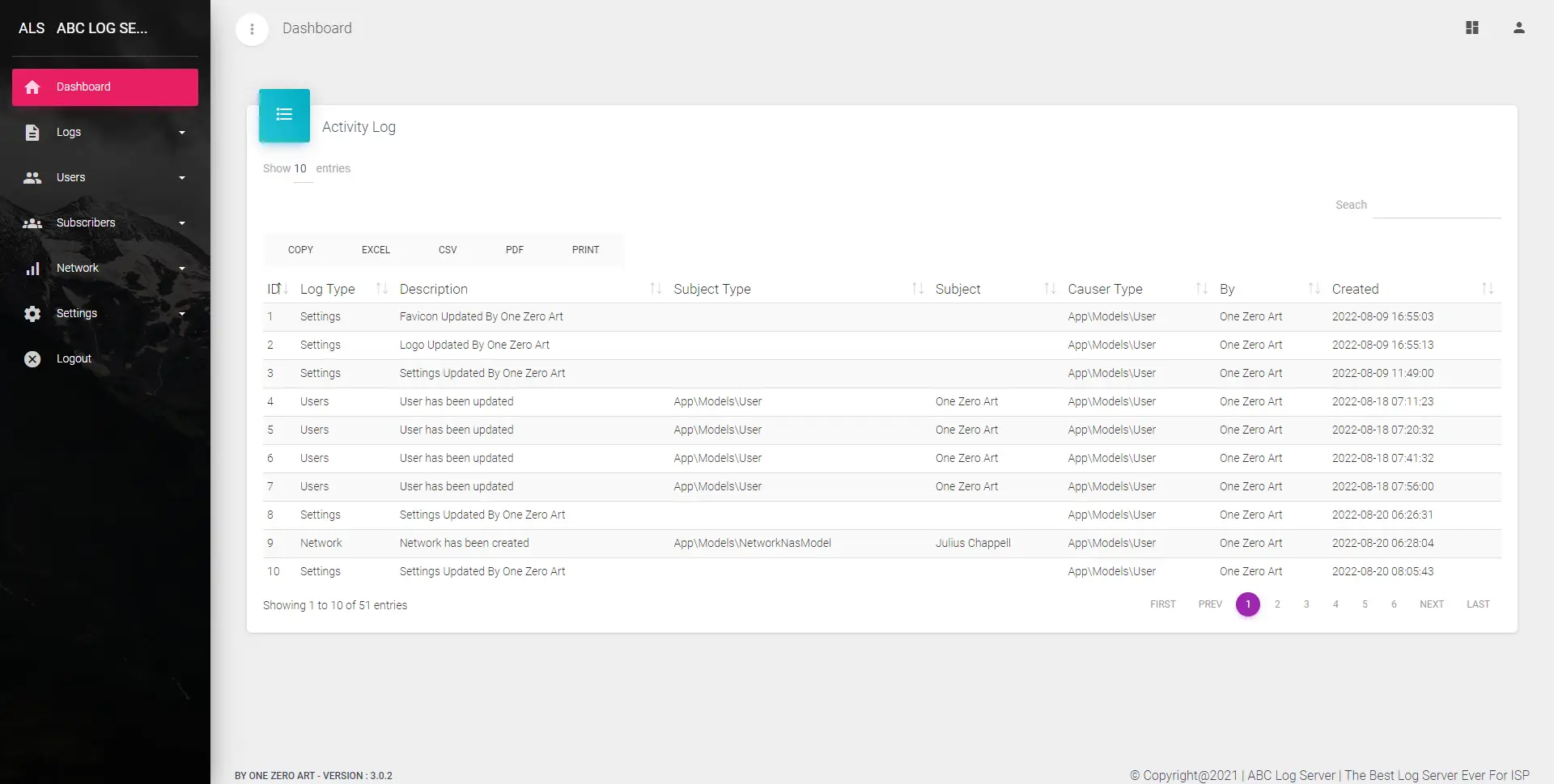
Activity Logs
Track all admin panel activities — who logged in, what was changed, and when. Complete audit trail of user actions for accountability and security monitoring.
Alerting & Notifications
SMS & Email Alerts
Get instant notifications via SMS and email when devices stop sending logs, when critical events occur, or when unusual network behavior is detected. Stay informed 24/7.
Custom Alert Rules
Configure automated alerts for specific system events, device downtime, or security anomalies. Define thresholds and conditions so you're always notified when it matters most.
Scheduled Reports
Automatically generate and receive daily, weekly, or monthly log activity reports. Track system errors, potential threats, and performance trends over time without manual effort.
Security & Compliance
Enterprise-Grade Security
Built with industry-leading security frameworks. No vulnerabilities — your log server is protected with the latest security practices and regular updates.
Compliance-Ready Auditing
Meet ISO, PCI-DSS, and GDPR compliance requirements with accurate and auditable log records. Detailed log histories support forensic investigations and regulatory audits.
License Protection
Hardware-bound licensing ensures your installation is secure and legitimate. Online validation with automatic license management and feature entitlement.
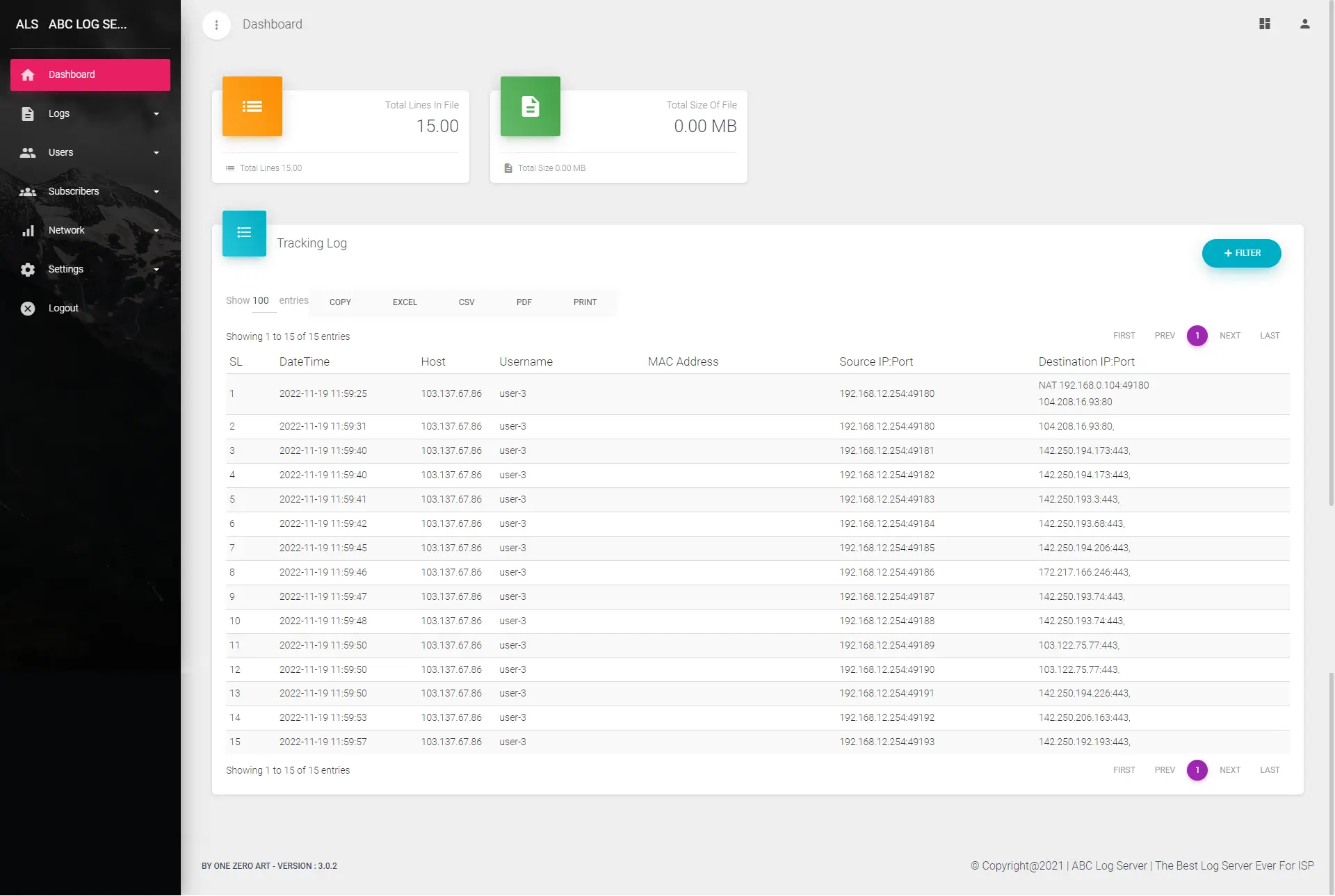
Tracking Logs
Full tracking log support for subscriber browsing activity. Monitor visited sites and applications with TCP/UDP details for compliance, investigation, and network visibility.
Export, Usability & Settings
Export to CSV, Excel & PDF
Export log data in various formats with a single click. Export 10 to 1,000 lines per batch in CSV, Excel, or PDF for reporting, sharing, and offline analysis.
Mobile Responsive
Fully responsive web interface — manage everything from your mobile device. No mobile app needed. Get a complete web application experience on any screen size.
Modern UI/UX Design
Clean, intuitive interface that requires no special computer skills. Easy-to-navigate admin panel with modern design principles for a pleasant management experience.
General Settings
Configure company branding, logo, favicon, title, and system preferences. Customize the look and behavior of your log server to match your organization's identity.
Latest Technologies
Built with the latest tech stack and regularly updated. Enjoy modern performance, security patches, and new features with every release. Long-term support guaranteed.
Affordable Pricing
Best Log Server For Universal Use — Simple one-time license with affordable yearly renewal
Starter
- Unlimited Users
- Unmetered Data
- 10 NAS/Routers
- 1 SSD (OS), 1 HDD (Log)
- 3 Months Free Service
- Basic Support
Standard
- Unlimited Users
- Unmetered Data
- 30 NAS/Routers
- 1 SSD (OS), 2 HDD (Log)
- 6 Months Free Service
- Friendly Support
Professional
- Unlimited Users
- Unmetered Data
- Unlimited NAS/Servers
- 1 SSD (OS), Unlimited HDD
- 12 Months Free Service
- Email & SMS Notification
- Domain + SSL Setup (Free)
- Auto Cloud Backup (*)
- Log Customization (*)
- Professional Support
Frequently Asked Questions
Everything you need to know about ABC Syslog Server
ABC Syslog is a high-performance universal log server that collects and manages syslog, tracking logs, and network data from routers, switches, firewalls, NAS devices, and servers — all in one centralized platform. It supports both TCP and UDP protocols, offers superfast filtering (10GB in ~3 seconds), data compression, multi-HDD storage, and a modern web-based dashboard.
ABC Syslog requires Ubuntu 22.04 Server 64-bit. Minimum requirements vary by plan:
Starter: 2 CPU Cores, 4 GB RAM, 50 GB SSD, 1 TB HDD
Standard: 4 CPU Cores, 8 GB RAM, 100 GB SSD, 2 TB HDD
Professional: 6 CPU Cores, 16 GB RAM, 100 GB SSD, 4 TB HDD
The SSD is used for the operating system and the HDD is used for log storage.
We do not provide any files or ISO installer. Our support team will install ABC Syslog on your server remotely. The installation process is complex and requires professional expertise — so just relax and let us handle everything for you.
Yes, ABC Syslog is lightweight and can run on a mini PC, laptop, or desktop — as long as you install Ubuntu 22.04 Server 64-bit on it. However, for best performance and reliability, we recommend using a dedicated server or a cloud server from a reputed provider.
ABC Syslog has two cost components:
License Fee (one-time): Starter $199, Standard $299, Professional $499. This is a one-time payment for the software license.
Yearly Renewal Fee: Starter $149/year, Standard $199/year, Professional $299/year. This covers ongoing support, updates, and continued use of the server.
Each plan includes free service after purchase — Starter (3 months), Standard (6 months), and Professional (12 months). After the free period ends, the yearly renewal fee applies.
Yes, you can upgrade your plan anytime. You only pay the difference between your current plan and the new plan — no need to pay the full amount again. We will upgrade your license accordingly.
Yes, an internet connection on the server is mandatory. It is required for license validation, receiving software updates, and remote support access.
No. ABC Syslog is an on-premise solution — all log data stays on your own server. We do not store, access, or transfer any of your business data. Your data is 100% under your control.
ABC Syslog supports logs from virtually any network device — MikroTik routers, Cisco switches, firewalls, NAS devices, Linux/Windows servers, and any device that sends syslog data over TCP or UDP. It also supports custom incoming ports for flexible integration with your existing network.
Yes, you can upload your company logo, favicon, and set a custom title from the settings panel. While it's not a fully white-labeled solution, your clients will not see any of our branding.
No, we do not provide direct database or file system access. However, you can download full database backups from the admin panel. You cannot edit, delete, or add files to the system directly.
We only provide support for ABC Syslog Server issues. For networking-related problems (router configuration, firewall rules, VPN issues, etc.), please contact your networking consultant.
Yes, if the requested feature benefits all clients, we will consider adding it in a future update for free. For custom features that are specific to your business, our minimum customization charge is $1,000 depending on the scope and complexity of the task.
You can cancel anytime — your service will simply be terminated. If you don't pay the yearly renewal fee, you will not receive any support, updates, or access to the software. The renewal fee is mandatory to continue using ABC Syslog Server.
Refunds are generally not available after installation. However, if you believe you are eligible, you must request a refund within one week of installation and we will review your case. If approved, the refund will be processed within 1 month.
If you paid but never received an installation, you will receive a 100% refund within 1 month.
Note: Any attempt at software piracy or misuse will result in a permanent ban from all our services with no refund.
Yes. ABC Syslog provides compliance-ready auditing features that support ISO, PCI-DSS, and GDPR requirements. With accurate log records, activity tracking, role-based access control, and detailed audit trails, your log data is ready for forensic investigations and regulatory audits.
Have more questions? Get in Touch