🎯 Introduction
In 2026, every successful ISP relies on a centralized authentication system—and that system is RADIUS.
Without RADIUS:
- You can’t control users efficiently
- Billing and network remain disconnected
- Security becomes weak
With RADIUS:
- Everything becomes automated
- Users, bandwidth, billing—all controlled centrally
👉 This guide explains RADIUS from beginner to advanced level, with real ISP examples and integration using Zal Ultra ISP CRM.
💡 What is RADIUS?
RADIUS (Remote Authentication Dial-In User Service) is an industry-standard protocol used for:
- ✅ Authentication (verify user login)
- ✅ Authorization (assign bandwidth, IP, policy)
- ✅ Accounting (track usage, session data)
👉 It is the backbone of ISP systems worldwide
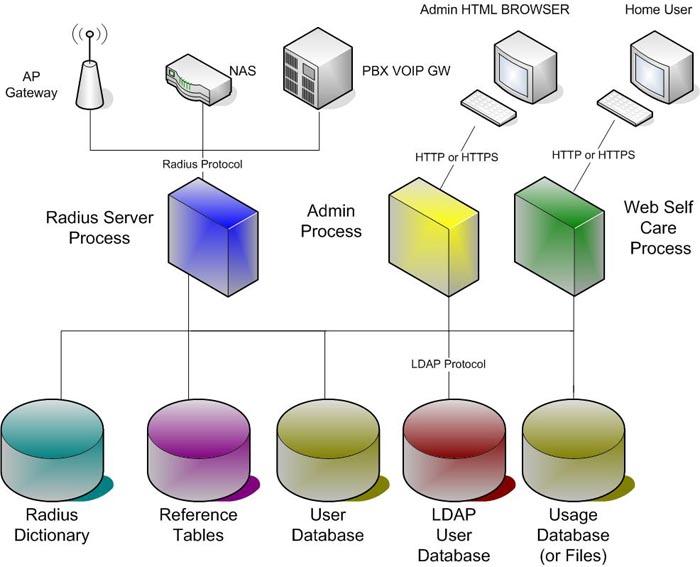
⚙️ How RADIUS Works (Step-by-Step)
Here’s a real-world ISP flow:
- User connects via PPPoE/Hotspot
- Router (NAS) sends request to RADIUS
- RADIUS checks user credentials
- If valid → access granted
- Assign:
- IP Address
- Bandwidth
- Expiry time
- Track session (data, time)
- Disconnect or update when needed
👉 This full AAA process ensures complete control over users
🔌 Real ISP Example (Practical Scenario)
Let’s say:
👉 User: user001
👉 Package: 10 Mbps / 30 Days
When user logs in:
- RADIUS verifies username/password
- Assigns IP (e.g., 10.10.1.100)
- Applies bandwidth limit
- Starts session tracking
👉 If expired:
- Access automatically denied
- Or limited speed applied
👉 This is fully automated with systems like Zal Ultra ISP CRM
🚀 RADIUS Setup with Zal Ultra ISP CRM
One of the biggest advantages:
👉 Zal Ultra includes built-in FreeRADIUS 3.x
🔥 What You Get:
- PPPoE authentication
- Hotspot authentication
- Real-time accounting
- Bandwidth control
- IP pool management
- CoA (Change of Authorization)
👉 Everything is pre-integrated—no complex setup needed
⚙️ Basic Setup Flow (Professional Level)
✅ Step 1: Install & Configure System
- Install Zal Ultra (cloud or VPS)
- Setup database (MySQL/MariaDB)
- Access admin dashboard
👉 Installation is automated and quick
🔌 Step 2: Configure Router (MikroTik Example)
- Go to RADIUS settings
- Add RADIUS server IP
- Enable:
- PPP
- Hotspot
👉 Router will now send authentication requests to RADIUS
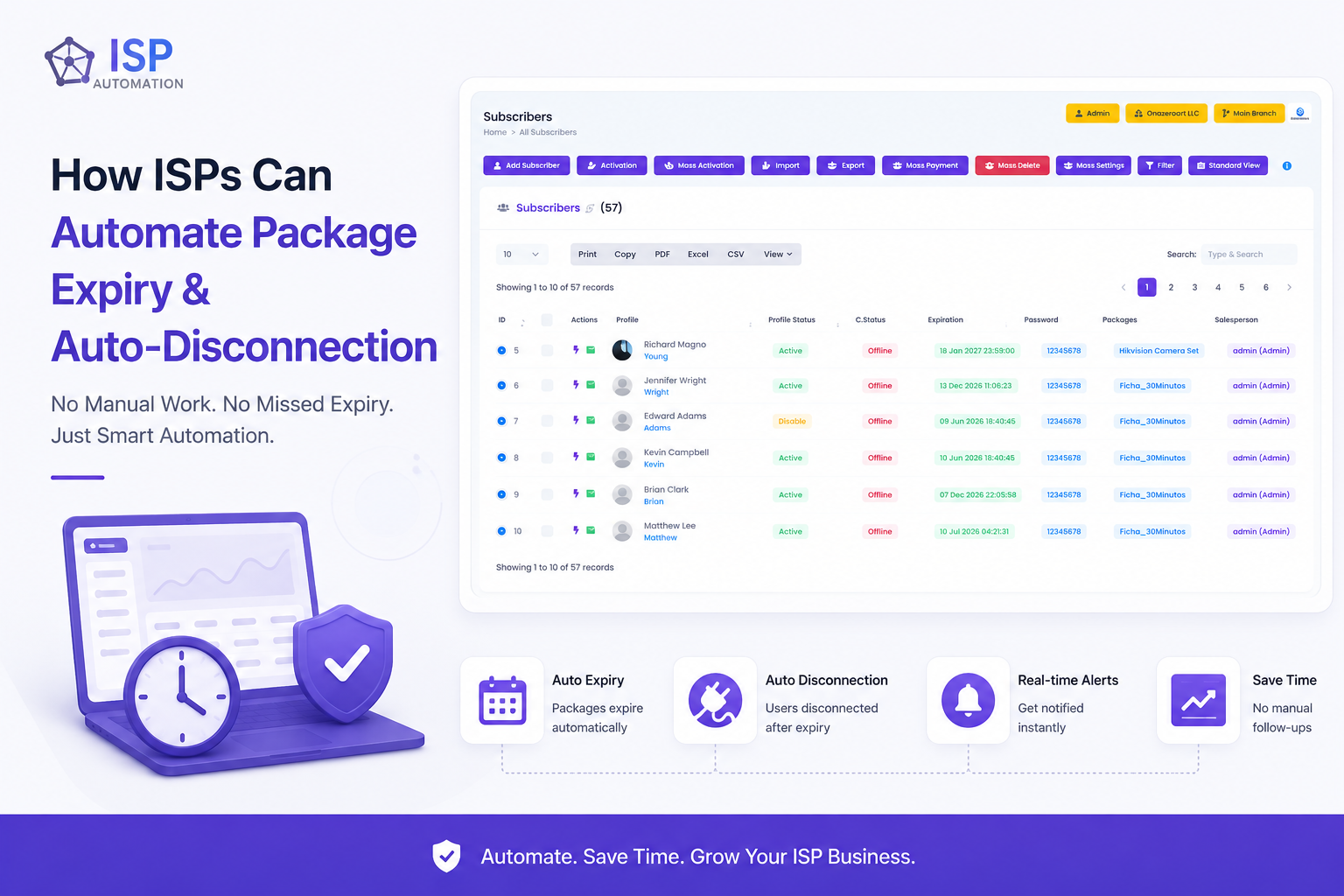
👥 Step 3: Create Subscribers

- Add user
- Assign package
- Set expiry
👉 Zal Ultra supports bulk import & automation
📦 Step 4: Configure Packages & Policies
- Set bandwidth
- Set expiry rules
- Apply RADIUS attributes
👉 Supports 200+ attributes for advanced control
🔄 Step 5: Enable CoA (Real-Time Control)
- Change bandwidth instantly
- Disconnect user remotely
- Update session without logout
👉 Critical for modern ISP operations
📊 Key RADIUS Attributes (Important for ISPs)
Some important attributes:
- User-Name → username
- Framed-IP-Address → assigned IP
- Session-Timeout → expiry
- Mikrotik-Rate-Limit → bandwidth
- Acct-Status-Type → session tracking
👉 These define how each user behaves in your network
🔥 Best Practices (From Industry Experience)
🔒 Security Best Practices
- Use strong RADIUS secrets
- Allow only router IPs
- Enable firewall rules (UDP 1812, 1813)
- Monitor failed logins
👉 Prevents unauthorized access
⚡ Performance Optimization
- Use SSD storage
- Optimize database
- Monitor response time
- Clean old logs
👉 Ensures stable performance at scale
📊 Monitoring & Logging
- Track login success/failure
- Monitor session data
- Analyze usage patterns
👉 Helps improve business decisions
🆚 RADIUS vs Without RADIUS (Reality Check)
| Feature | Without RADIUS | With RADIUS |
|---|---|---|
| User Control | Manual | Automated |
| Billing Integration | No | Yes |
| Security | Weak | Strong |
| Scalability | Limited | High |
| Network Control | Basic | Advanced |
🏆 Why Zal Ultra ISP CRM is Ideal for RADIUS
🚀 Built-in RADIUS System
No need for external installation
🌐 Supports 50+ Router Vendors
MikroTik, Cisco, Juniper, etc.
📊 Real-Time Monitoring
Track every session live
⚙️ Full Automation
Billing + Network + CRM integrated
📈 Scalable Architecture
- Unlimited ISPs
- Unlimited subscribers
- Multi-branch system
🎯 Final Thoughts
RADIUS is not just a technology—it’s the core foundation of a modern ISP.
If you want:
- Automation
- Security
- Scalability
- Real-time control
👉 Then implementing a RADIUS-based system like Zal Ultra ISP CRM is essential in 2026.